Loading preview…
AI Companion Screenshots - iOS
Polished AI assistant screenshots with dark editorial backgrounds, focused feature callouts, and flexible app integrations.
Create professional store screenshots online with customizable templates, iPhone and Android device frames, panoramic backgrounds, and store-ready export sizes.
Start designing instantly with our most popular device frames
Start from polished Google Play feature graphic designs with strong copy, premium mockups, and layouts built to help apps look ready to install.
Create professional app store screenshots in three simple steps
Select from our gallery of high-converting, professional device mockups and panoramic layouts.
Simply drag and drop your app's raw screenshots. We'll automatically frame them in the latest devices.
Download high-resolution assets perfectly sized for iOS App Store and Google Play instantly.
Pick a template, add your screenshots, and you're done. Click to load in the editor.
Polished AI assistant screenshots with dark editorial backgrounds, focused feature callouts, and flexible app integrations.
Colorful positivity screenshots for affirmation, mindfulness, and motivation apps with bold, uplifting messaging.
Editorial fashion screenshots for styling, wardrobe, and shopping apps with clean product-focused layouts.
Energetic app screenshots with dramatic perspective devices and a high-impact background treatment.
Modern food and nutrition screenshots built for AI calorie counters, meal scanners, and healthy-living apps.
A clean, versatile screenshot layout for recipes, meal planning, delivery, and simple food utilities.
Fresh habit-building screenshots with progress reporting, scoring highlights, and a confident green palette.
Friendly educational screenshots for language, coding, and learning apps with approachable visual storytelling.
Vibrant dating app screenshots for discovery, matching, profiles, and messaging experiences.
High-energy sports screenshots for live scores, detailed statistics, team chat, and match coverage.
Warm wellness screenshots with friendly mascots, mood tracking, memory quotes, and editable progress views.
Professional medical and healthcare screenshots with perspective devices and clear feature-led messaging.
Playful purple screenshots with an editable dotted background for task, planning, and utility apps.
Bright planning screenshots for schedules, statistics, calendars, and daily organization apps.
Clear utility screenshots for storage cleaners, duplicate finders, and space-saving mobile apps.
Adventure-ready screenshots for hiking, cycling, maps, and route-planning apps with immersive imagery.
Create professional, high-converting presentations for your mobile apps in four simple steps.
Choose from dozens of app store screenshot templates designed for maximum impact and conversion.
Drag and drop your raw app screenshots. Our app screenshot generator perfectly frames them in 3D devices.
Set your brand colors, adjust typography, and create beautiful panoramic effects across slides.
Download crystal-clear, high-resolution images ready for immediate upload to the App Store and Google Play.
Follow focused guides for planning, styling, resizing, and exporting screenshots for the App Store and Google Play.
Create a clear, consistent iPhone or iPad screenshot set and export it at App Store-ready dimensions.
Read guide →Build a polished Google Play screenshot sequence with Android frames, readable copy, and consistent branding.
Read guide →Place app captures inside iPhone and Android frames without hiding important interface details.
Read guide →Create a continuous background or visual element that flows cleanly across multiple store screenshots.
Read guide →Adapt an existing screenshot design to another App Store size while protecting layout and text quality.
Read guide →Review, order, and export app screenshot files for App Store Connect or Google Play Console.
Read guide →Thoughtful screenshots help visitors understand your app before they install it.
Lead with the strongest benefit and keep the first screenshot readable at a glance.
Use the same typography, spacing, device treatment, and background system across the full set.
A good screenshot design better explains the app to your potential users.
Frame your screenshots into latest Apple and Android phones such as iPhone 16 Pro Max, iPad M4 and Google Pixel 8.
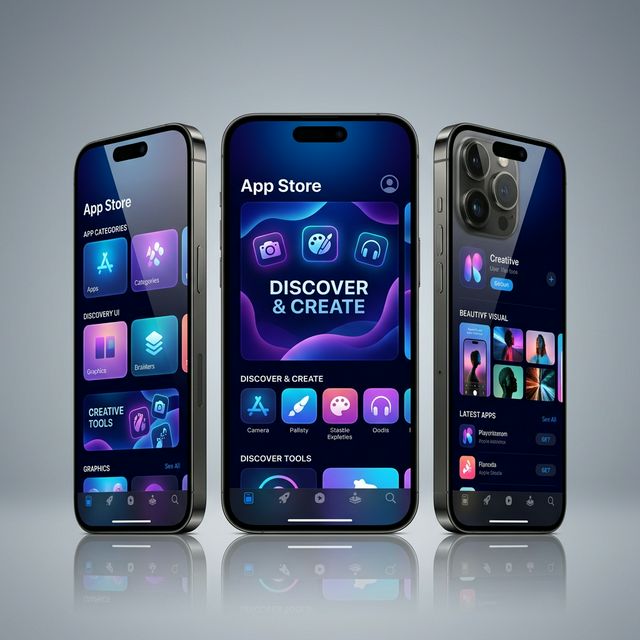
Fast & simple to use. Design once, export for every device.
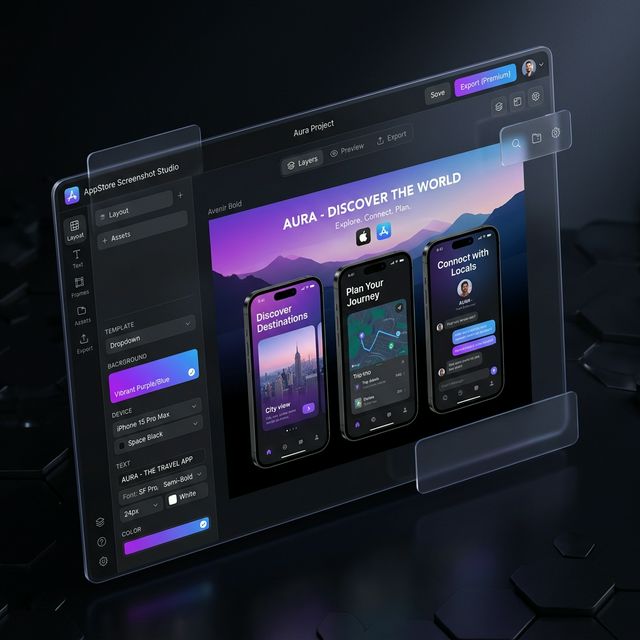
Everything you need to create professional app store presence in minutes.
Professional 3D rendering of the latest iPhone and Android devices with realistic shadows.
Create stunning gradients, use solid colors, or upload your own custom backgrounds.
Full control over titles, subtitles, fonts, and colors to match your brand perfectly.
Download all your screenshots at once in high resolution, ready for upload.
Support for all major screen sizes including iPhone 16 Pro Max, iPad, and Pixel 9.
Your projects are automatically saved and synced across all your devices.
Choose the plan that's right for your app's growth.
For individuals and side projects
For professional results and growing teams
Best value for long-term creators
Everything you need to know about App Mockup Studio.
App Mockup Studio is a premium app store screenshot generator that helps developers create stunning, professional presentations for both iOS and Android. Our tool is designed to maximize your app's conversion rate on the App Store and Google Play.
To generate screenshots for the App Store, simply choose one of our professionally designed app store screenshot templates, upload your raw screenshots, customize the text and backgrounds, and hit download. Our screenshot generator for app store automatically handles all required sizes.
Yes! Our creator is the ultimate ios app screenshot generator and ios app screenshot maker for panoramic designs. You can drag images across multiple slides to create a seamless storytelling experience.
Absolutely. We maintain a library of premium app store screenshot templates for the latest iPhone 16 Pro Max, iPad M4, and Google Pixel 9. Each app mockup is available in high resolution for premium-quality exports.
Yes, we offer a generous free version of our app screenshot generator. You can create and export high-quality screenshots without any watermarks. For power users, our Pro plan offers bulk export and advanced panoramic tools.
Yes! Our premium ai app name generator is included for free. It uses advanced AI to generate catchy, unique app names optimized for ASO while ensuring they stay within character limits for the App Store and Google Play.
Join thousands of developers creating beautiful presentations.